Turning inbound email into requests
Last updated: August 21, 2026
Requests do not only arrive through your portal. This screen turns emails sent to your agency into requests automatically, so an email route does not become a second, invisible queue.
How to set it up
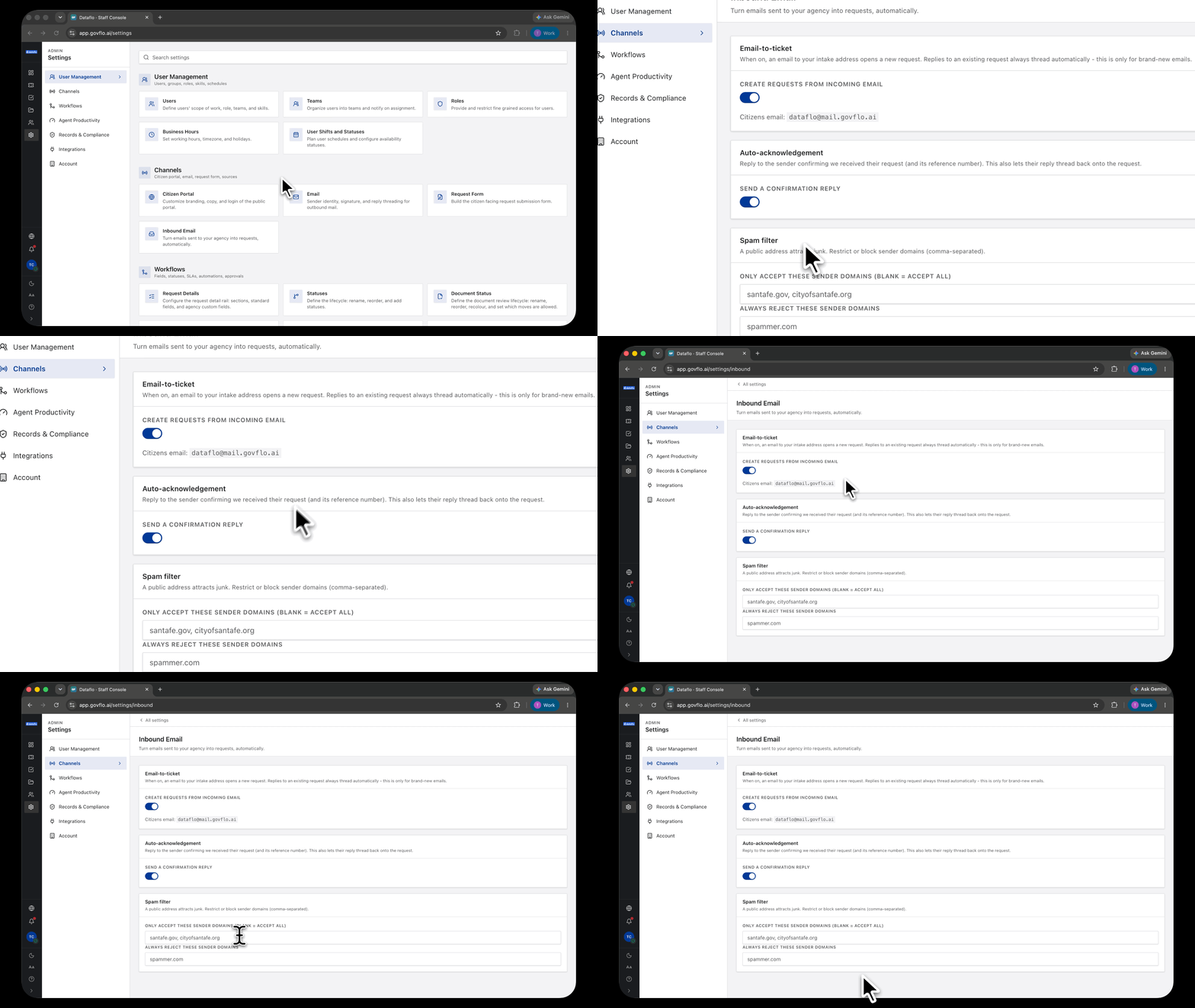
- Go to Settings, then Channels, then Inbound Email.
- Turn on Create requests from incoming email.
- Note the intake address citizens email, shown on the screen.
- Turn on Send a confirmation reply so the sender gets an acknowledgement with their reference number.
- Under Spam filter, optionally restrict or block sender domains.
Only brand-new emails create requests
Replies to an existing request always thread automatically, whether this is on or off. This setting only governs what happens to an email that does not belong to a request yet.
So turning it off does not break correspondence on requests you already have. It only means a fresh email lands in your inbox instead of opening a request.
Turn the confirmation on
The auto-acknowledgement does two jobs. It tells the sender you have their request and gives them the reference number, and it lets their reply thread back onto the request.
That second part is the one people miss. Without the confirmation there is no message for the citizen to reply to, so their follow-up arrives as another new email rather than joining the conversation.
It may also help with your statutory first-response obligation, since acknowledging a request is usually enough to satisfy it. Check that against your own statute rather than assuming.
The spam filter, and why to be careful with it
A public intake address attracts junk, so the screen offers two domain lists: one that accepts only listed domains, and one that always rejects listed domains.
Use the reject list freely. Be very careful with the accept list.
Restricting to named domains means an email from any other domain never becomes a request. Most public records statutes do not permit an agency to refuse a request because of who sent it or what address they used, and a request silently dropped by a filter is indistinguishable from one you ignored.
If you use the accept list at all, know that you are choosing which members of the public can file by email.
Email requests are ordinary requests
Anything created this way lands in the queue with an email origin, carries the same statutory deadlines, and follows the same lifecycle.
The only practical difference is that the requester filled in nothing. There is no date range, no delivery preference, and no structured detail, so email requests generally need more clarification than portal ones. That is a reason to point people at the portal, not a reason to leave this off.