Defining your document review statuses
Last updated: August 27, 2026
Document statuses are the review lifecycle every record passes through before release. They work like request statuses, with one addition that matters more than anything else on the screen.
How to configure them
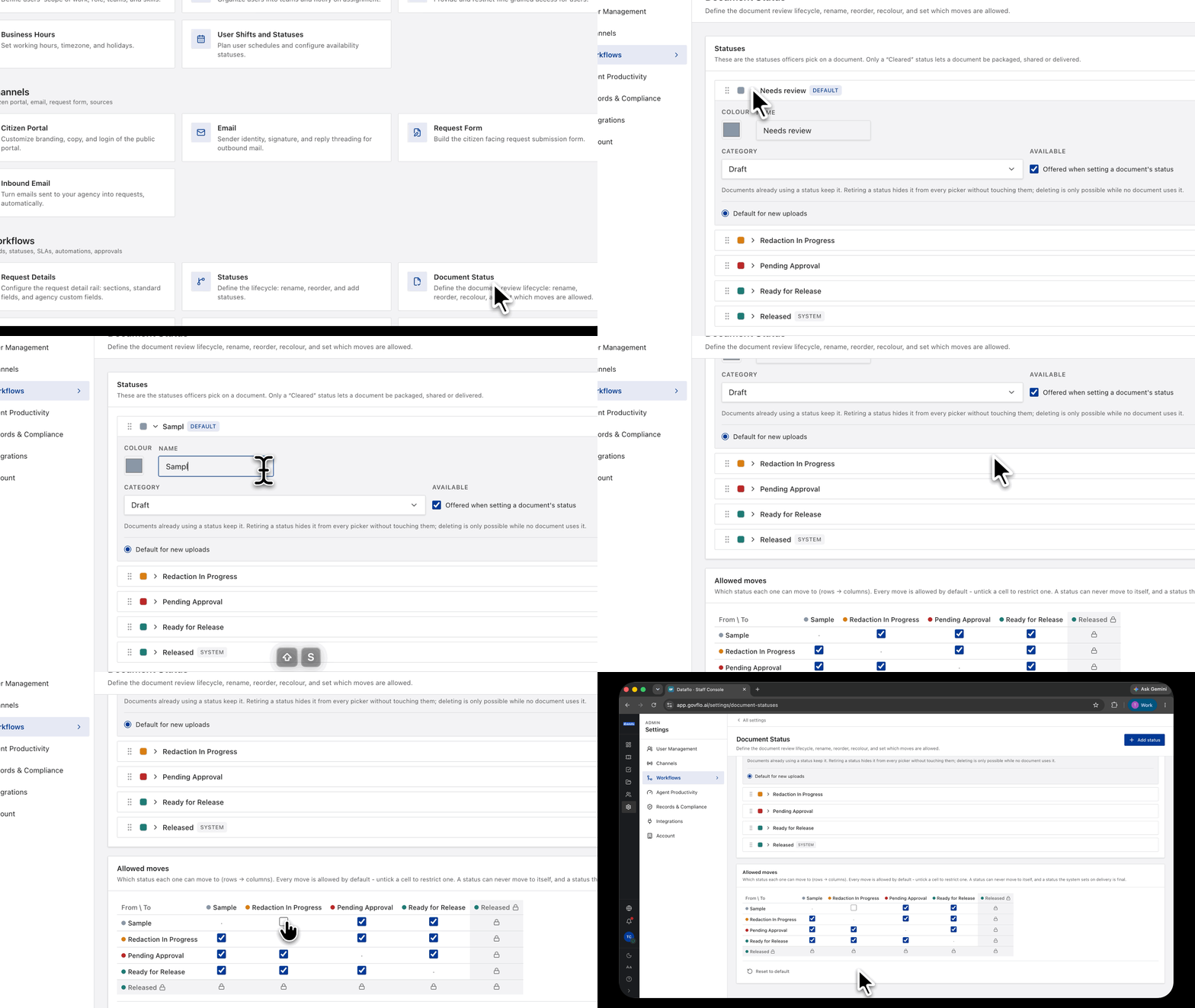
- Go to Settings, then Workflows, then Document Status.
- Use Add status, or select one to rename, reorder or recolour it.
- Set the allowed moves in the grid, which reads rows to columns.
- Reset to default restores the starter lifecycle.
The starter set is Needs Review, Redaction In Progress, Pending Approval, Ready for Release and Released.
Released is different from the rest. Govflo sets it when a document is delivered, it cannot be assigned by hand, and nothing moves out of it.
Only a "Cleared" status lets a document go out
This is the sentence on the screen worth reading twice: only a status marked as cleared allows a document to be packaged, shared or delivered.
So the status list is not decoration. It is the gate on release. A document sitting in any status that is not cleared cannot reach a requester, whatever else is true about it.
If you add a status, decide deliberately whether it clears. Getting that wrong either blocks releases that should go, or releases documents that have not finished review.
Released is set by the system and is final
Released is a system status, applied on delivery. The grid shows it cannot move anywhere, and nothing can be moved into it by hand.
That is deliberate. A document that has gone to a requester has gone, and no status change afterwards can make that untrue. The record of release stays accurate.
Forward only, same as requests
A document status can only move to one later in the order. Backward moves are not offered.
Order the statuses in the sequence review actually happens, because the order is what defines the legal moves.
Match your office, not the product
Rename these to whatever your reviewers actually say. If your office says "with counsel" rather than "Pending Approval", use that. The words on this screen are what officers pick from a dropdown fifty times a day, and vocabulary that matches how people talk gets used accurately.
What you should not do is add statuses for stages that are really the same stage. Every extra status is another column in the transitions grid and another decision at every step.