Statuses, priorities and allowed moves
Last updated: August 27, 2026
Statuses are the lifecycle a request moves through. Priorities are how urgent it is. Both are configured per agency, and the status configuration also decides which moves are legal from any given point.
How to configure statuses
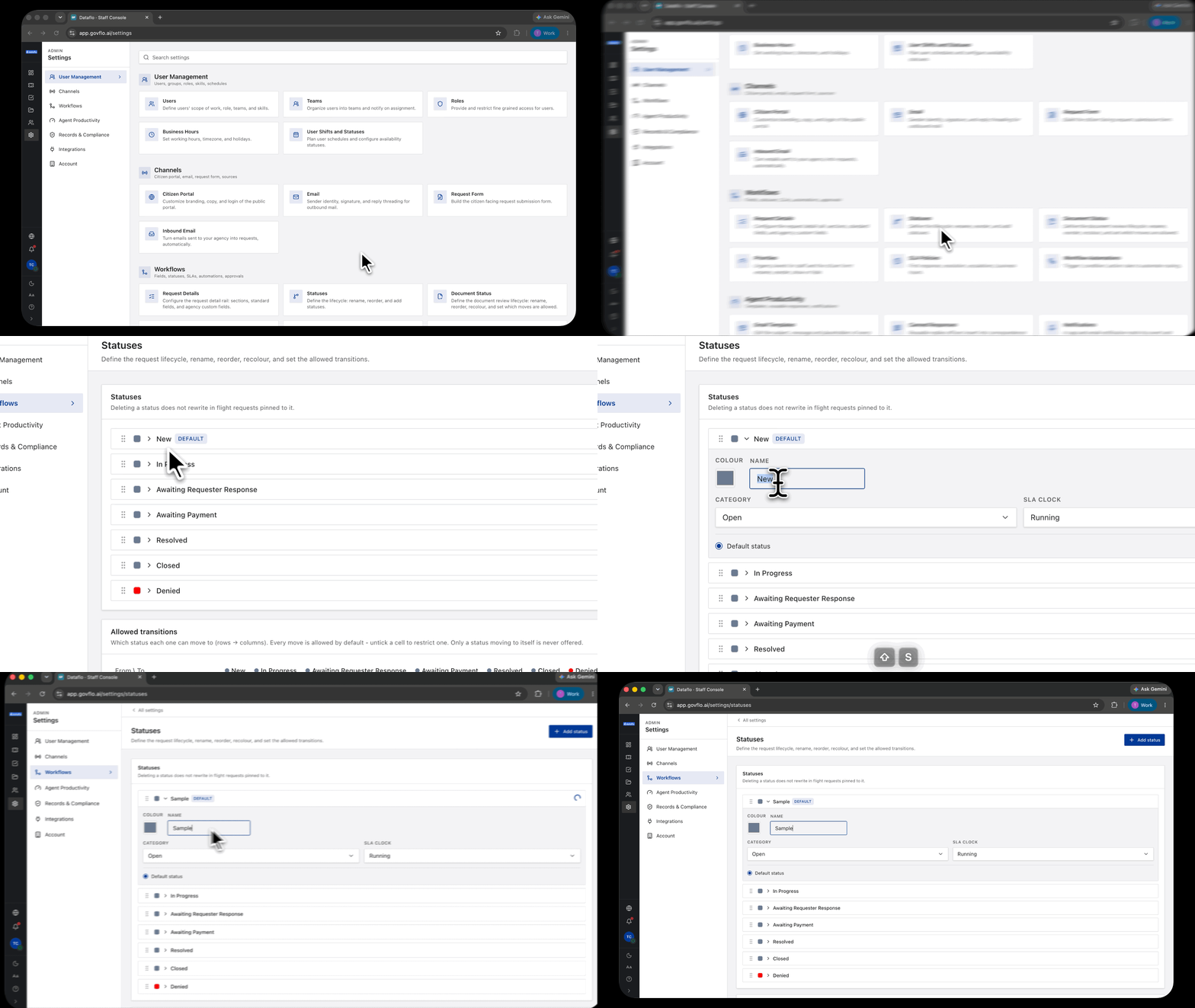
- Go to Settings, then Workflows, then Statuses.
- Use Add status to create one, or select an existing status to rename, reorder or recolour it.
- Set the allowed transitions in the grid below, which reads rows to columns: each row is a status, each column is where it may move to.
- Reset to default restores the starter lifecycle.
The starter set is New, In Progress, Awaiting Requester Response, Awaiting Payment, Resolved, Closed and Denied.
Every move is allowed until you untick it
The grid starts permissive. Every move is available by default, and the only one Govflo never offers is a status moving to itself.
So the lifecycle is yours to shape. If you want work to run forward only, untick the backward moves and it will. If you want an officer to be able to send a request back from Resolved to In Progress, leave that cell ticked.
That is why the dropdown on a request can show fewer options than the full list. It is showing the moves you have left open from where that request currently is.
The consequence worth planning around: decide what you want to prevent, then untick it. A grid nobody has touched allows everything, which is rarely what an agency means by a lifecycle.
Deleting a status does not rewrite history
The screen says so plainly: deleting a status does not rewrite in-flight requests pinned to it.
Requests already sitting in a deleted status stay there. Before removing one, filter the queue by that status and move the requests yourself.
Priorities
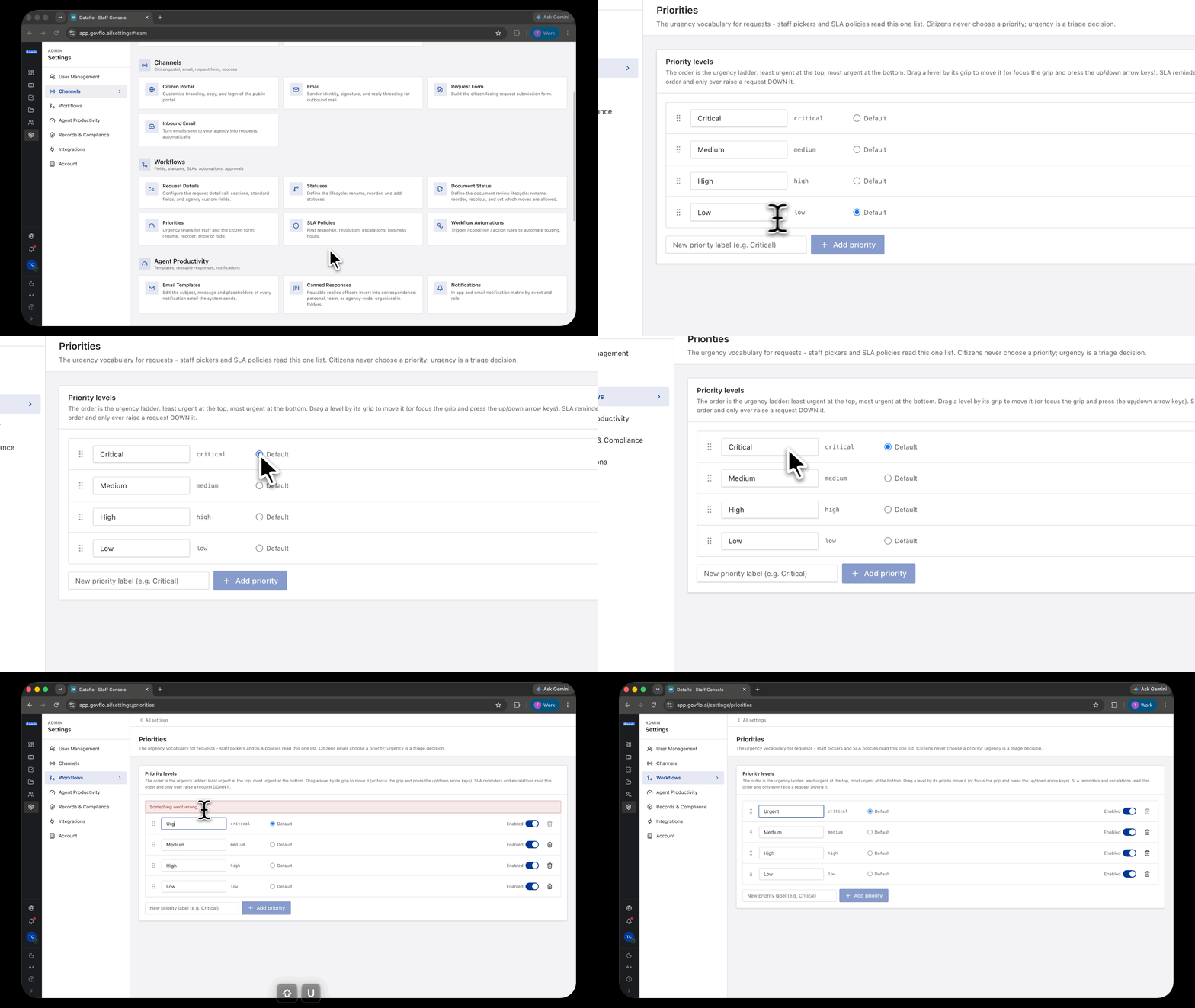
Settings, then Workflows, then Priorities. Rename each level, drag it by its grip to reorder, and use Enabled to retire one without deleting it.
The order is the urgency ladder: least urgent at the top, most urgent at the bottom. SLA reminders and escalations read that order, and they only ever raise a request down it, so a level in the wrong position quietly changes how escalation behaves.
Three or four levels is usually right. A list of seven produces a queue where everything is somewhere in the middle and nothing is genuinely urgent.
Requesters never set a priority. It is a staff picker only, and the screen says so. Urgency is a triage decision your office makes, not something the public declares.
Both priority and complexity appear as columns on the request queue and as filters, so you can work either axis.
Priority is not complexity
Priority is a judgment your office makes and sets by hand. Complexity is Govflo's own assessment of how much work a request will take, based on how many comparable requests exist in your history.
Priority answers what to do first. Complexity answers how long it will take. Both appear as queue columns and as filters.