Your first request, start to finish
Last updated: August 27, 2026
Every public records request in Govflo follows the same path, whatever it asks for. This article walks that path once, end to end, so you know where you are and what comes next. Each step links to the article that covers it properly.
How to work a request from start to finish
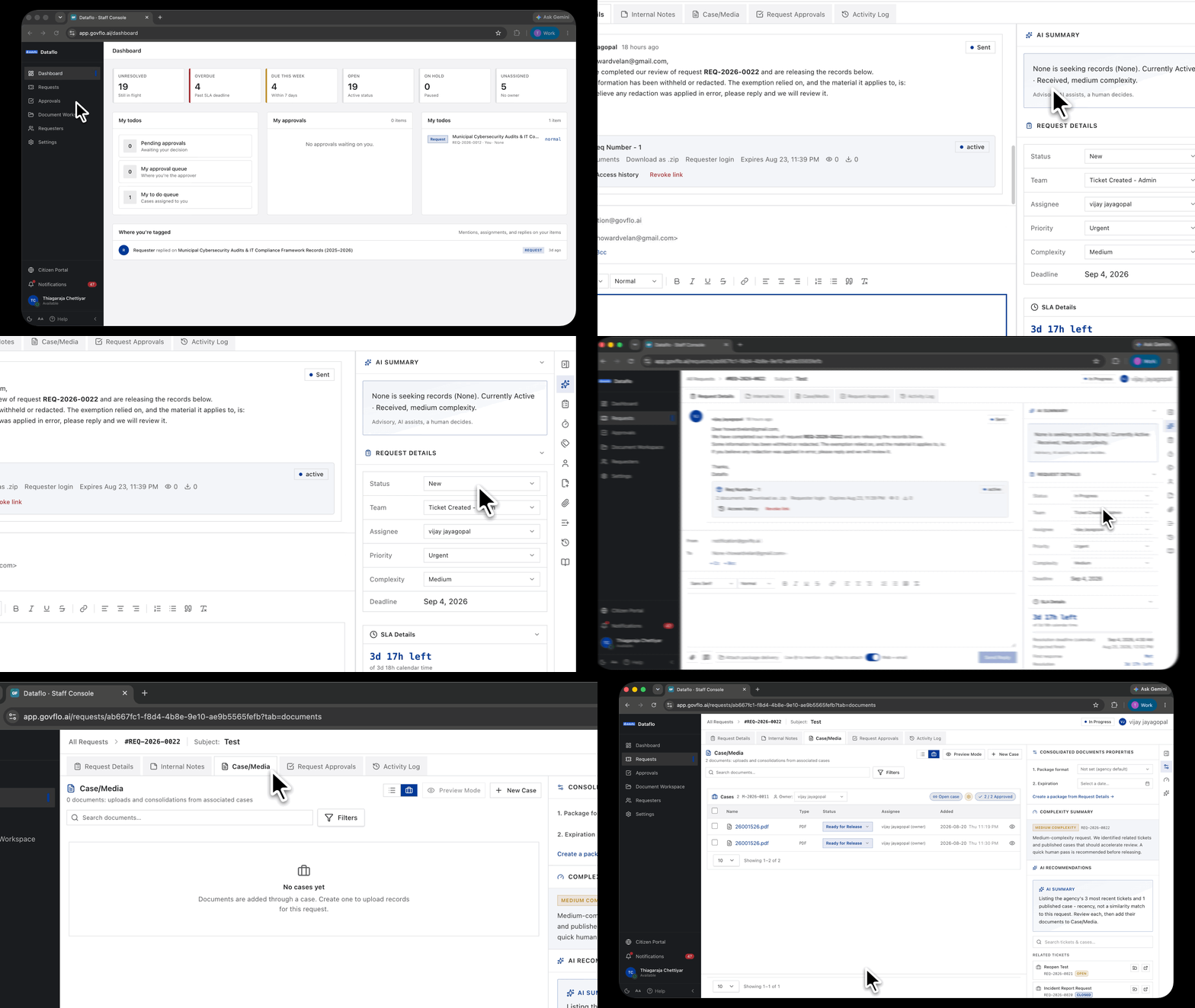
- Go to Requests. New requests arrive without an owner, so start with anything showing Unassigned.
- Open the request by clicking its title. It opens on Request Details.
- Read the requester's own words first, then the AI Summary in the right rail. The summary is a starting point, not the request.
- Set Assignee to yourself, and set Team if your agency routes by team.
- Move Status to whatever your agency uses for work in progress. In the starter setup that is In Progress.
- Go to Case/Media and add the records. You can upload them directly, or use New Case to search a connected source.
- Review each document and redact what must be withheld.
- Send anything that needs sign-off for approval, and wait for the decision.
- Back on Request Details, write your reply, use Attach package delivery to attach the approved records, and send.
- Move Status to your closing status once everything has been released or refused.
What is happening to the clock while you do this
The deadline starts the moment the request arrives, not when you pick it up. Two clocks run: one for your first response to the requester, one for resolving the request. The SLA Details panel on the right shows both.
Some statuses pause the clock and some do not. Awaiting Requester Response pauses it, because you are waiting on them rather than the other way round. Your agency decides which statuses behave this way.
Your agency decides which moves are allowed
A request moves through your agency's statuses in whatever order your agency permits. Govflo allows every move by default, and an administrator restricts the ones that should not be available on the transitions grid under Settings.
Closed and Denied are the usual end points, but they are not sealed. A closed request can be moved back to an open status, and it takes a fresh deadline from your agency's reopen window when it is. Reopening does not revive the original deadline, because that one was met.
Where the work actually happens
- The queue. Finding, filtering and sorting your work.
- The request detail. Five tabs: the correspondence thread, internal notes, the documents, the approvals, and the audit trail.
- The Document Workspace. Where records are reviewed and redacted before release.
- Approvals. Where sign-off waits, if your agency requires it.