Audit log settings
Last updated: August 27, 2026
This screen is the complete, agency-wide record of every action taken in Govflo. It is the legal audit trail, and unlike most settings screens there is very little to configure. That is the point of it.
How to read the log
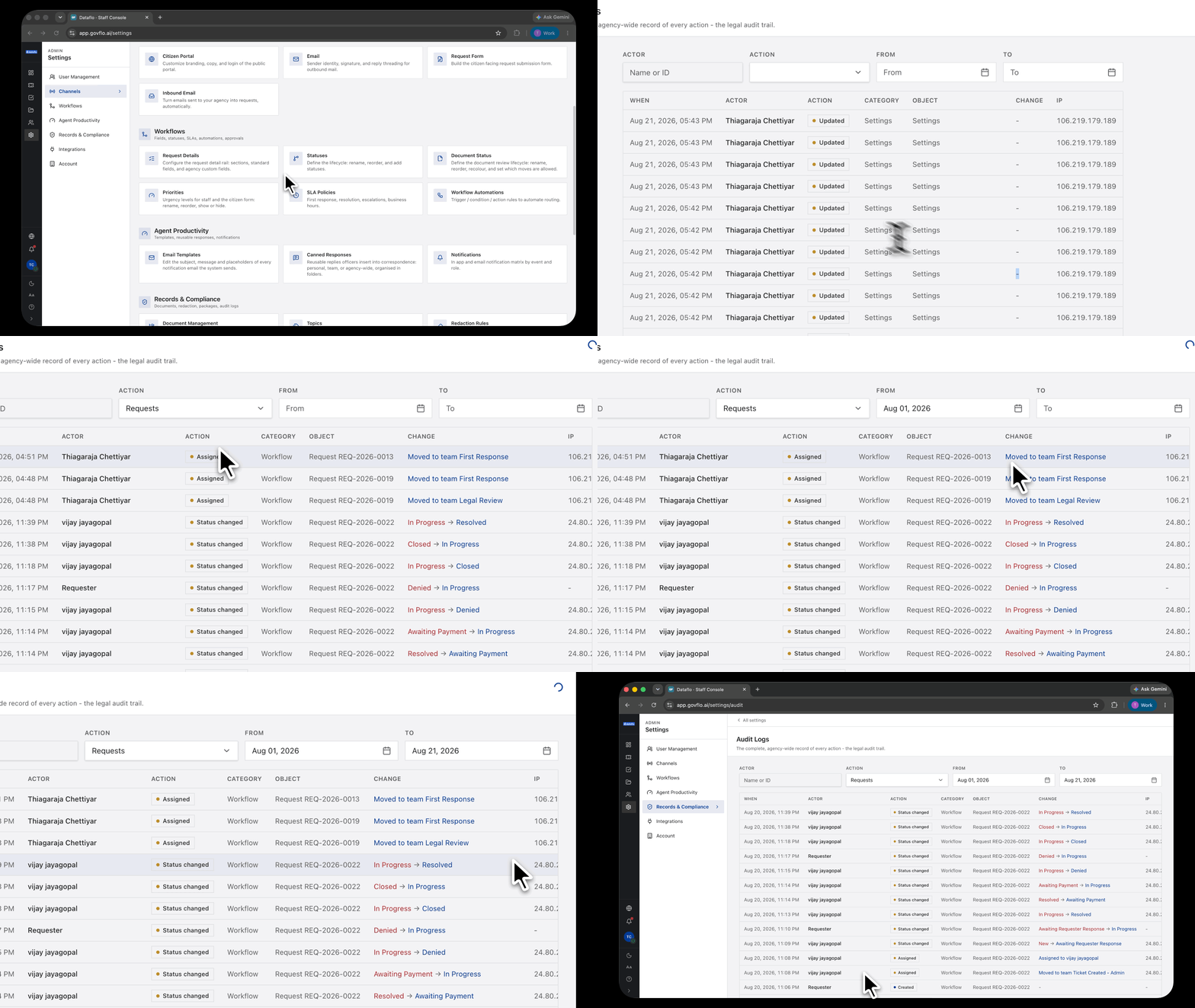
- Go to Settings, then Records & Compliance, then Audit Logs.
- Filter by Actor and Action, and set a From and To date range.
- Page through the results, or change the rows-per-page control at the bottom.
What each entry records
Every row carries the time, the actor, the action, a category, the object it acted on, the change, and the IP address it came from.
The IP address matters more than it looks. It is the difference between knowing an account did something and knowing where the action came from, which is the question asked when an account's use is disputed.
Append-only and immutable
The footer says so on every page, and it is not a claim about intent. Entries cannot be edited or removed, and they are chained so that alteration from outside the product is detectable.
An error is corrected by a later entry stating the correction, never by changing the original. A record that can be quietly rewritten has no evidentiary value in the one moment it exists for.
This is the agency-wide view
For a single request, the request's own Activity Log tab is faster and is what you want most of the time.
Come here when the question spans requests: what did one person do last month, when did a particular kind of action start happening, what happened across the office on a given day.
What it is not
The audit log is not an activity feed and not a diagnostic tool. Application logs and error reporting are separate systems that deliberately hold no personal information and do not constitute a record.
To establish what a person did, use this screen. For questions about performance or faults, look elsewhere.
Retention
Entries are kept beyond the life of the requests they describe. Deleting a request does not remove the record of its existence or its handling, because a disposal that erased its own evidence would defeat the purpose of keeping the record.